MobileAppSetUp
Please follow these instructions to configure for both iOS and android.
*note its not a standard app, but a Progressive Web App, so no App Store or Google Play is needed.
1. Open our website on your phone. www.SouthJerseyHomeschool.com
2. Log in with your username and password.
3. Select the cell phone icon from the top menu.
4. Follow the on-screen install prompt.
5. Open the app from your home screen.
6. Log in using your same family website credentials
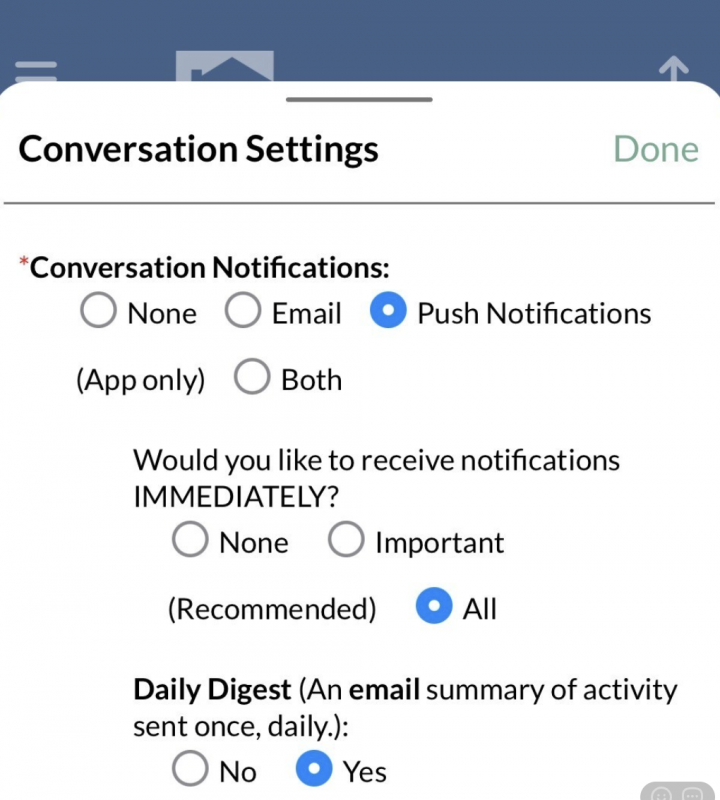
Once you have configured this, these are the requested notification settings that will keep you informed during co-op, but not blown up with emails for every single comment that happens:
1. open the app
2. select conversations
3. click the setting icons
4. mimic these settings: